
Blindy
An anonymous dating app for university students. You talk for seven minutes before you see a face, and names open only after a mutual yes.


Summary
- Problem
- Phones retry on flaky networks and drop their connections, yet a chat message must never be lost or stored twice. Matching runs only inside the evening window, and two workers must never pair the same person at once.
- My part
- Solo developer: the Java and Spring WebFlux backend, the Flutter app, the React admin panel and the server it all runs on.
- Outcome and status
- A retried message is stored once, and a phone that reconnects asks for what it missed. The closed beta runs on one rented server, deployed by git push and backed up every night.
An evening in five screens
From the lit candle to a revealed match. Every screen is the real app, rendered with made-up people.
Screen 1 of 5
The evening
 1
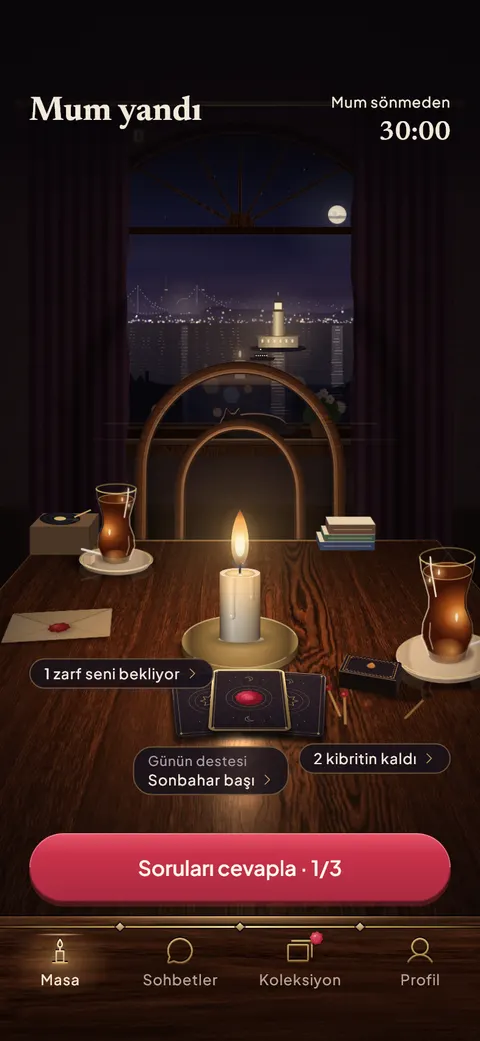
1The candle is lit
The evening is open: the user sees the table and the time left, then answers the daily questions.
The match
 2
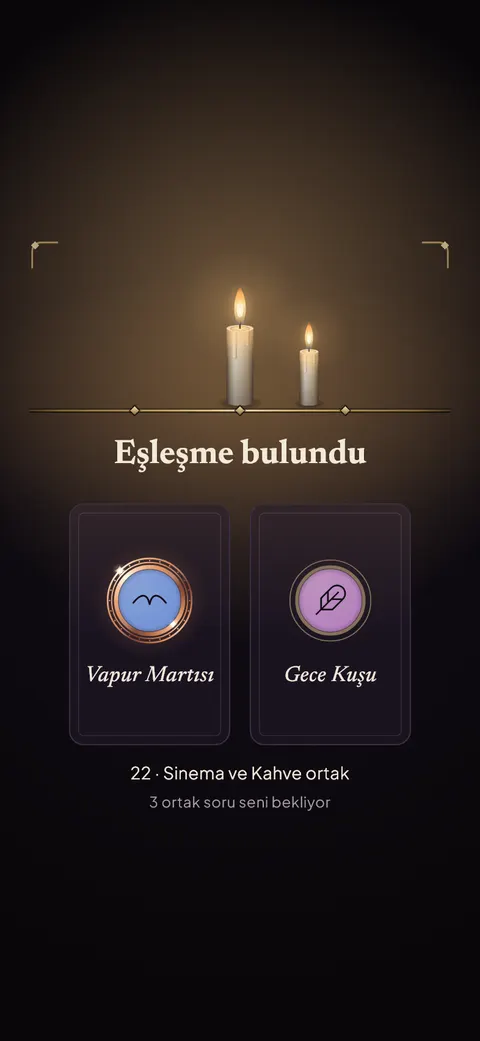
2Match found
Two candles burn and both pseudonyms are dealt, with shared interests shown.
The chat
 3
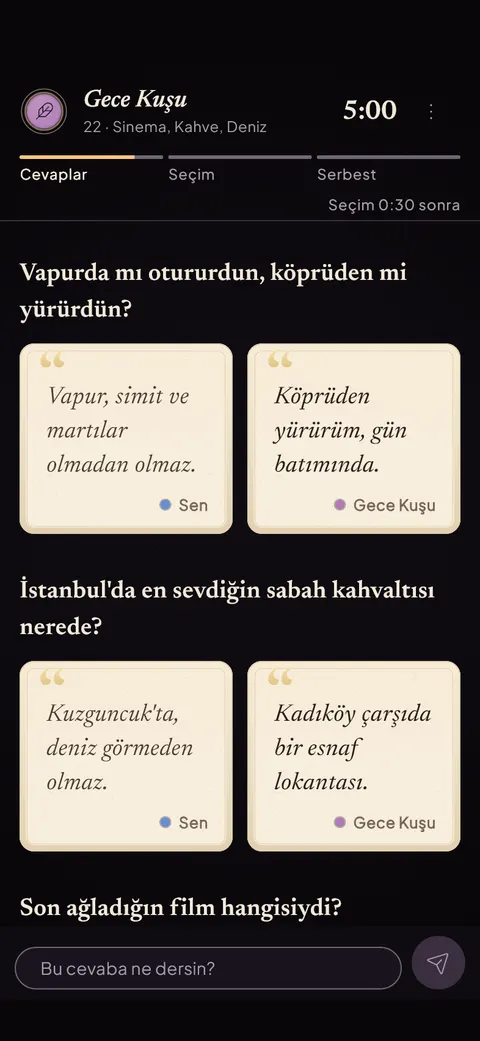
3Round 1: Answers
Both people's answers open side by side as cards and the user replies to them.
The decision
 4
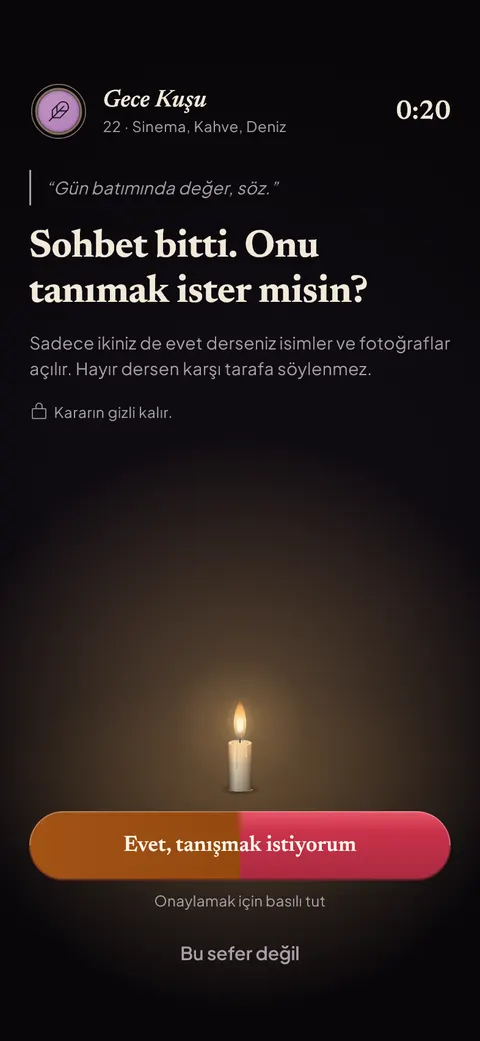
4Decision
The chat is over; within 30 seconds the user holds the button to say yes.
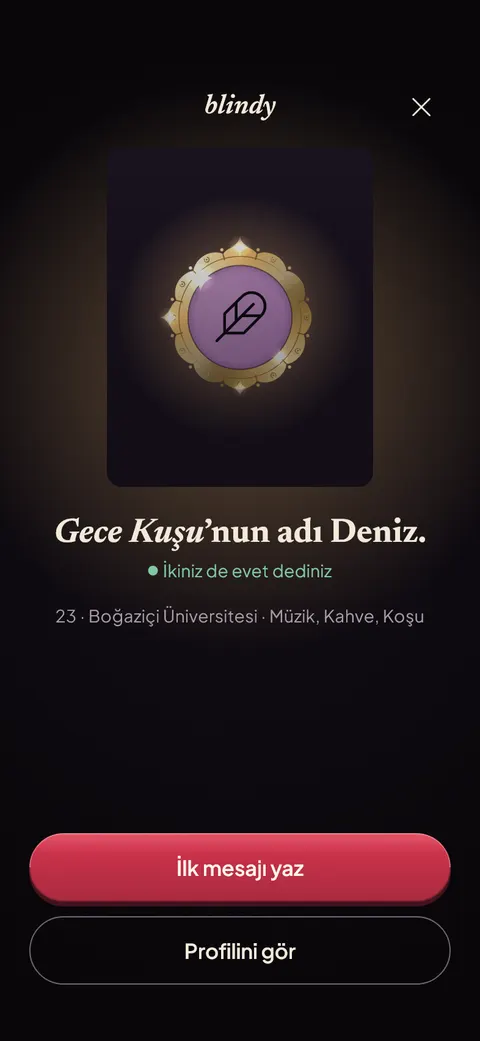 5
5Reveal
Both said yes: the pseudonym gives way to a real name and the user writes the first message.


The whole product flow31 screens
Every screen from sign-up to deleting the account, in the order a user meets them.
Screen 1 of 31
Sign up
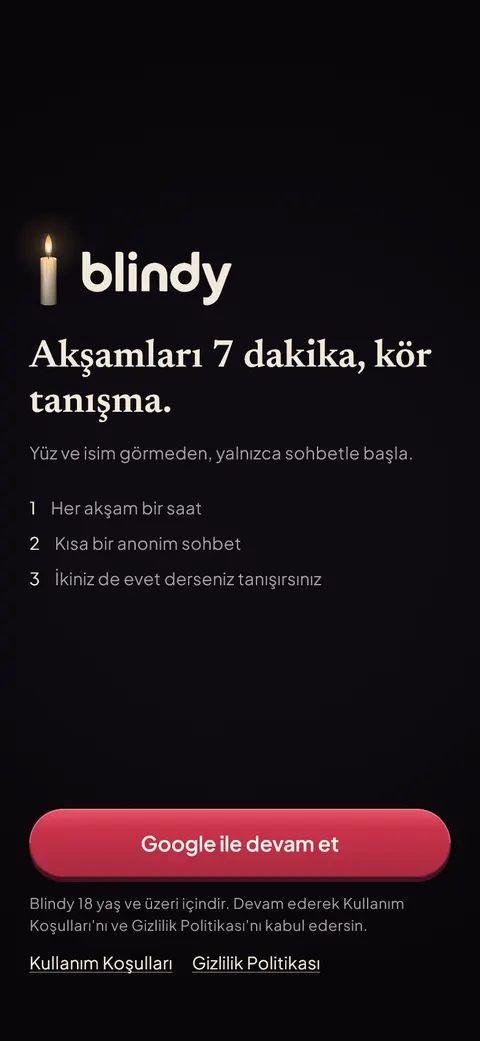 1
1Welcome
The user meets the candle, reads how an evening works and continues with Google.
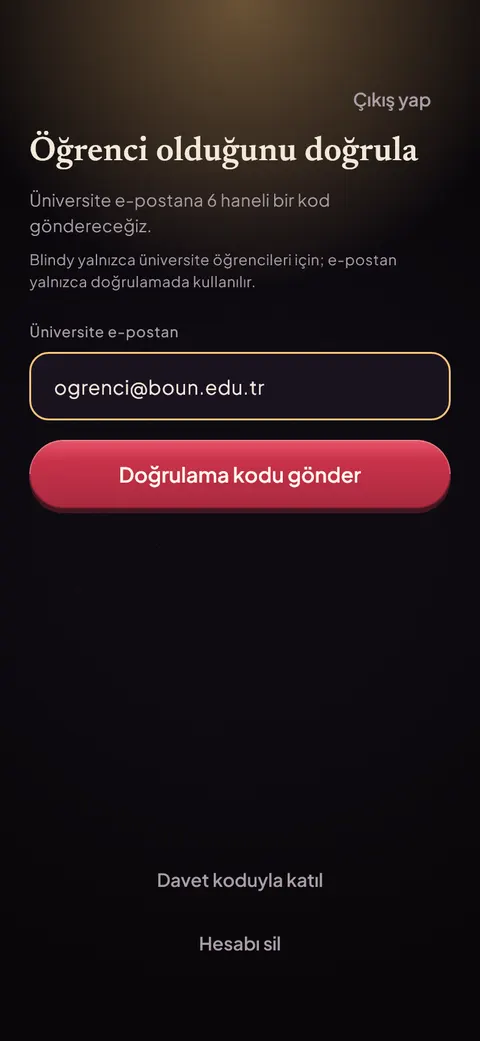 2
2University email
The user enters a .edu.tr address to prove they are a student.
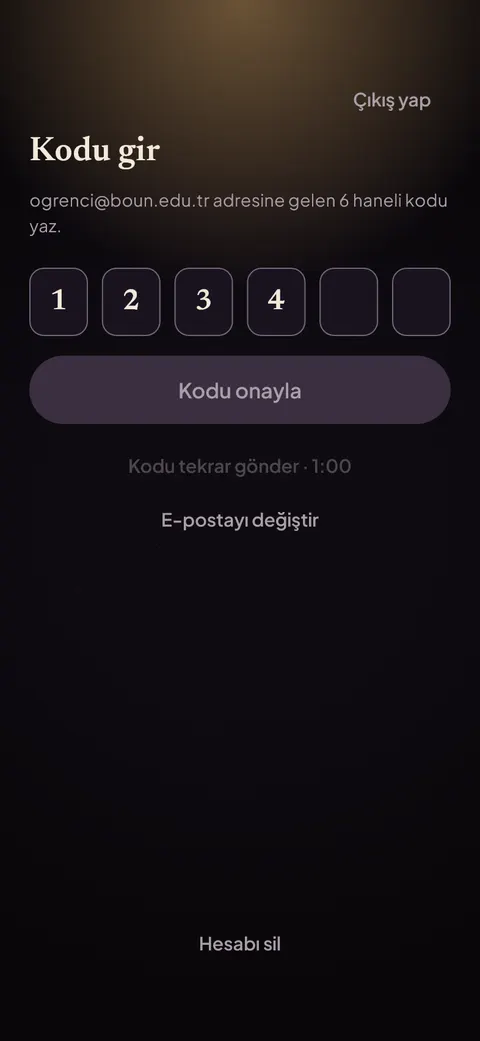 3
3Verification code
The user types the 6-digit code sent to their university inbox.
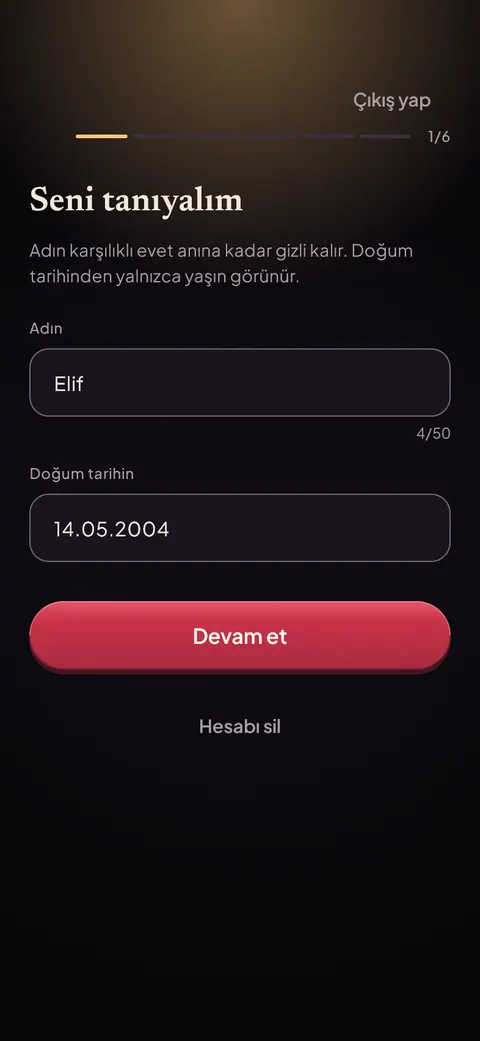 4
4Name and birth date
The user adds a first name and birth date; the name stays hidden until a mutual yes.
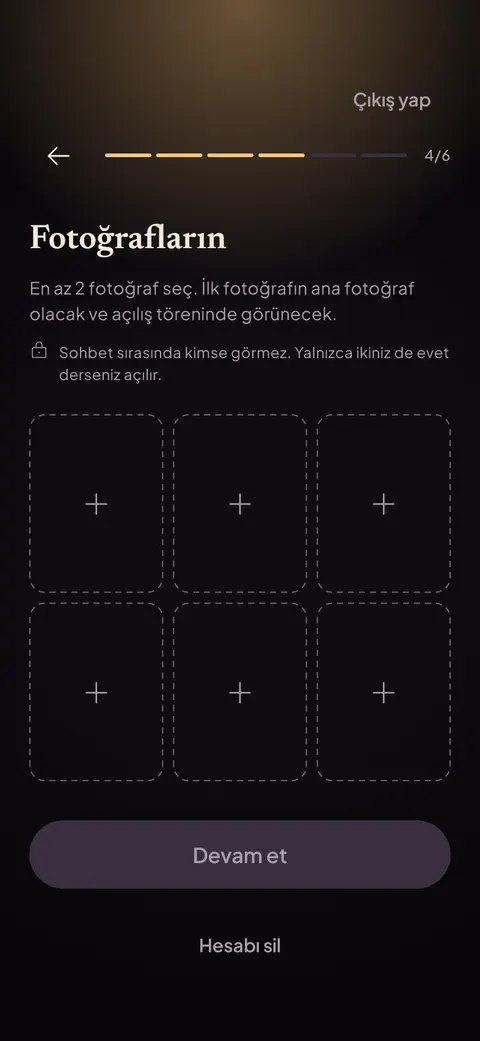 5
5Photos
The user adds at least two photos that stay hidden during the anonymous chat.
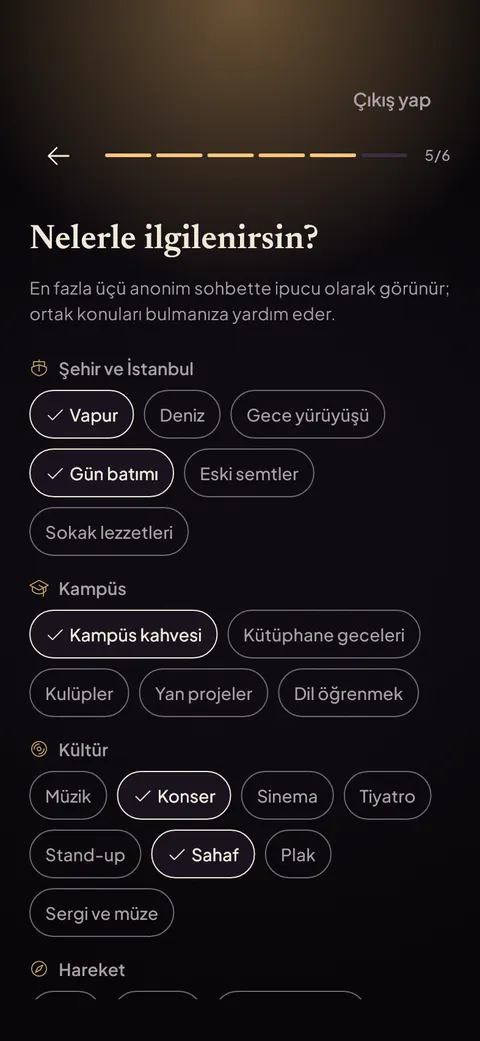 6
6Interests
The user picks interests; up to three appear as hints in the anonymous chat.
The evening
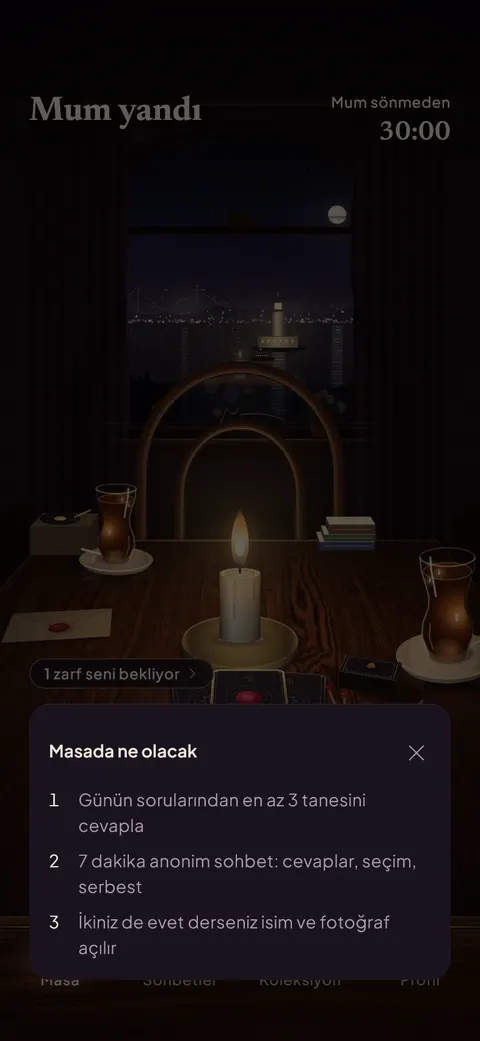 7
7First evening
On the first visit a note on the table explains what will happen tonight.
- 8
The candle is lit
The evening is open: the user sees the table and the time left, then answers the daily questions.
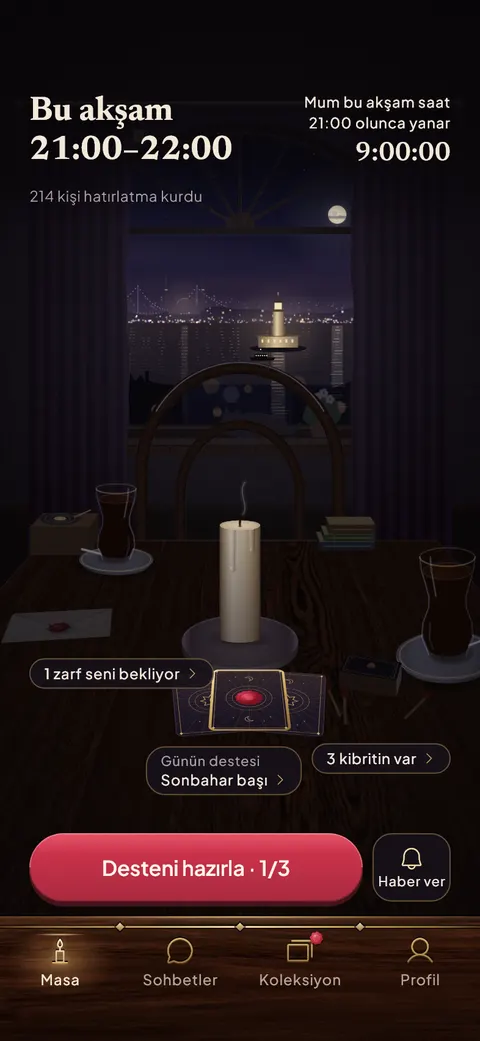 9
9Tonight at nine
Before the evening the candle is out; the user sees the countdown and can set a reminder.
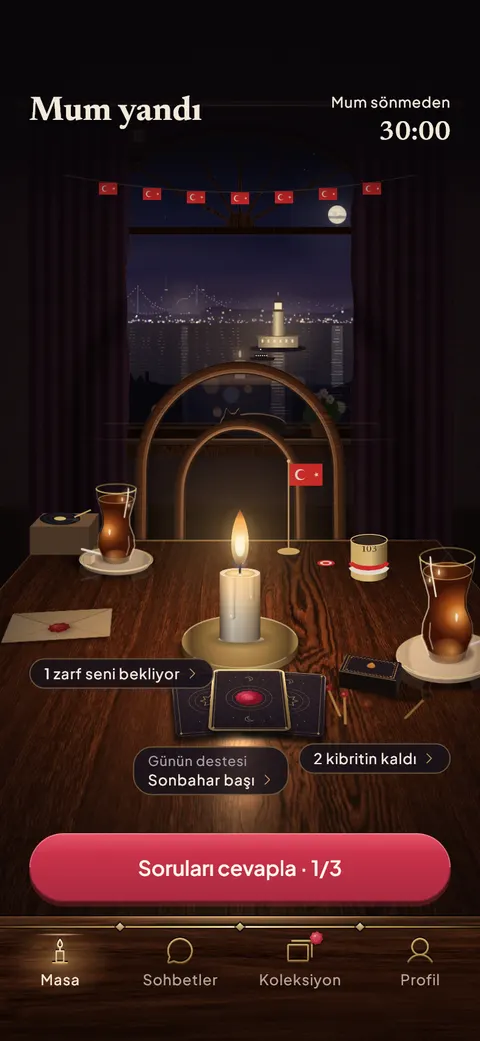 10
10Special-day table
On national and special days the table is decorated for the occasion.
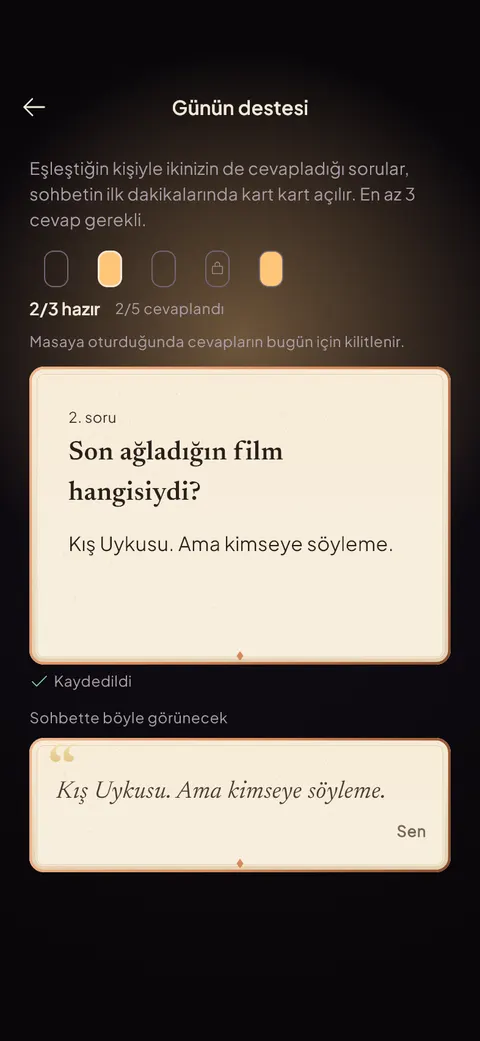 11
11Today's questions
The user answers short daily questions that later open card by card in the chat.
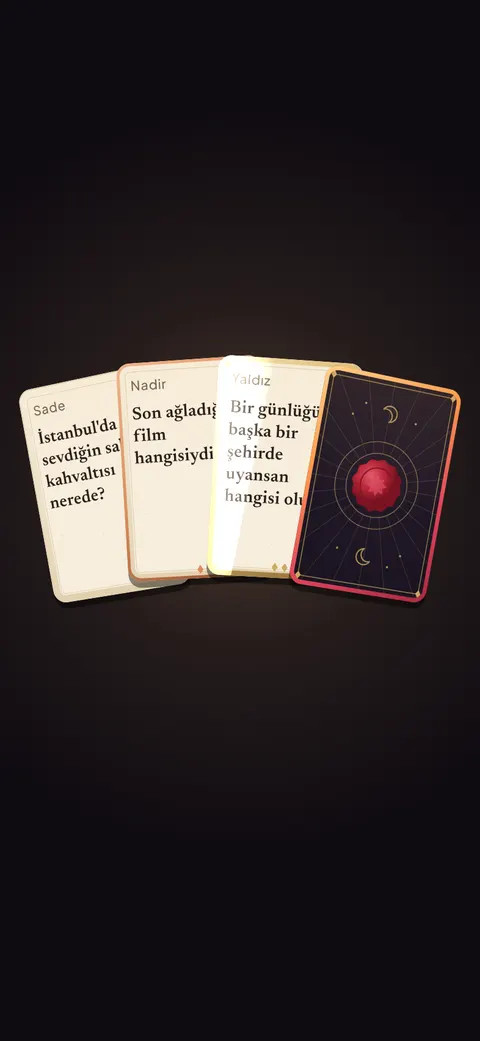 12
12Daily deck
The day's deck opens with a short ceremony and its cards fan out.
The match
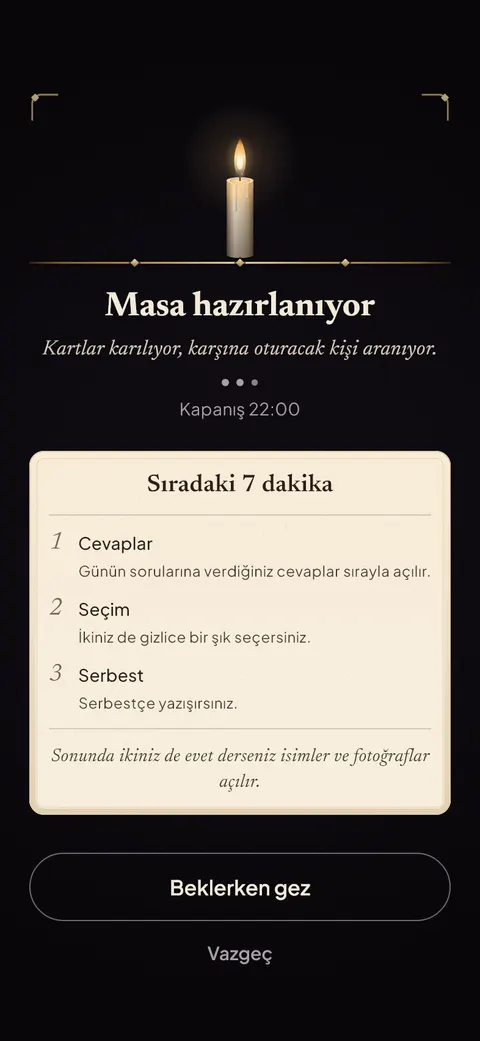 13
13Setting the table
The user takes a seat and waits while someone to sit across is found.
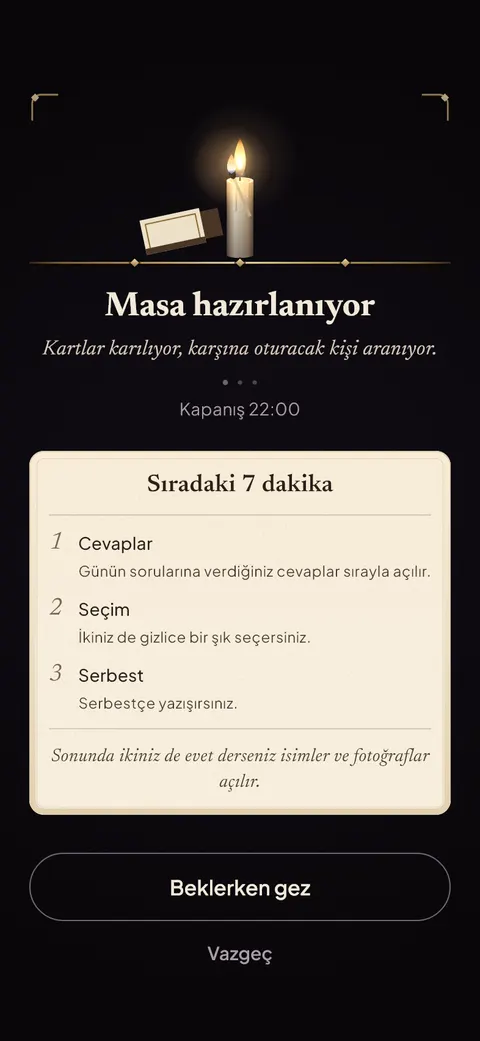 14
14Lighting the candle
A match lights the candle as the user joins the queue.
- 15
Match found
Two candles burn and both pseudonyms are dealt, with shared interests shown.
The chat
16Round 1: Answers
Both people's answers open side by side as cards and the user replies to them.
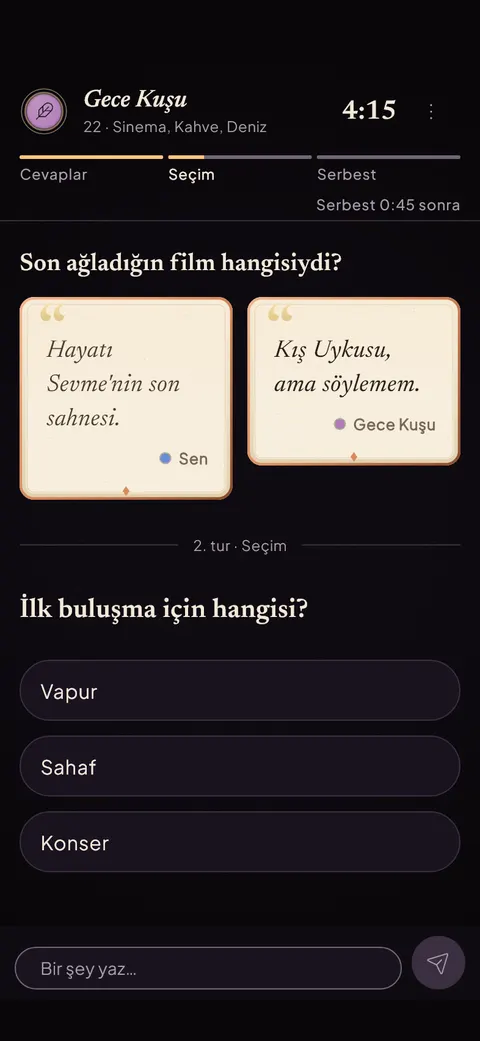 17
17Round 2: Choice
The user secretly picks an option; a matching pick sparks.
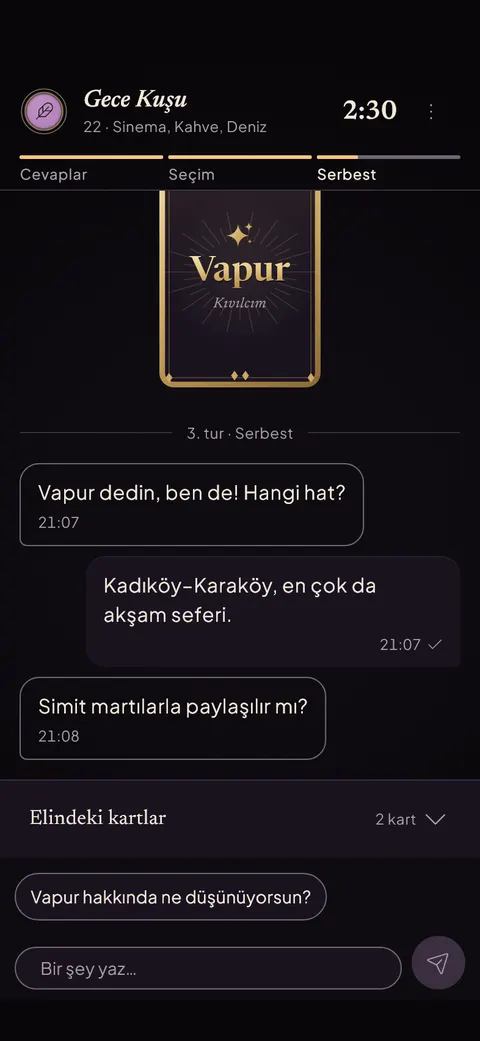 18
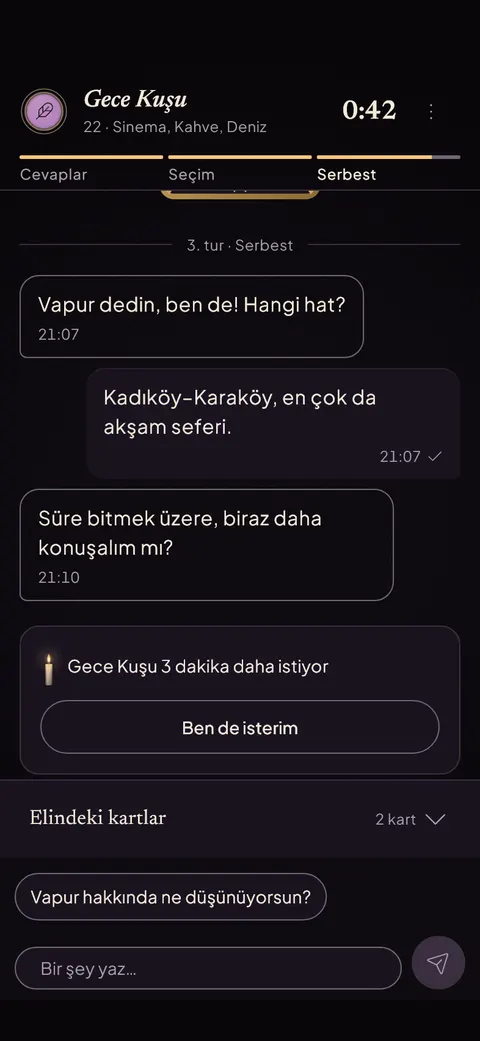
18Round 3: Free chat
Free chat opens; the user writes freely and can play a card from their hand.
 19
19Three more minutes
Near the end the other side asks for three more minutes and the user can agree.
The decision
20Decision
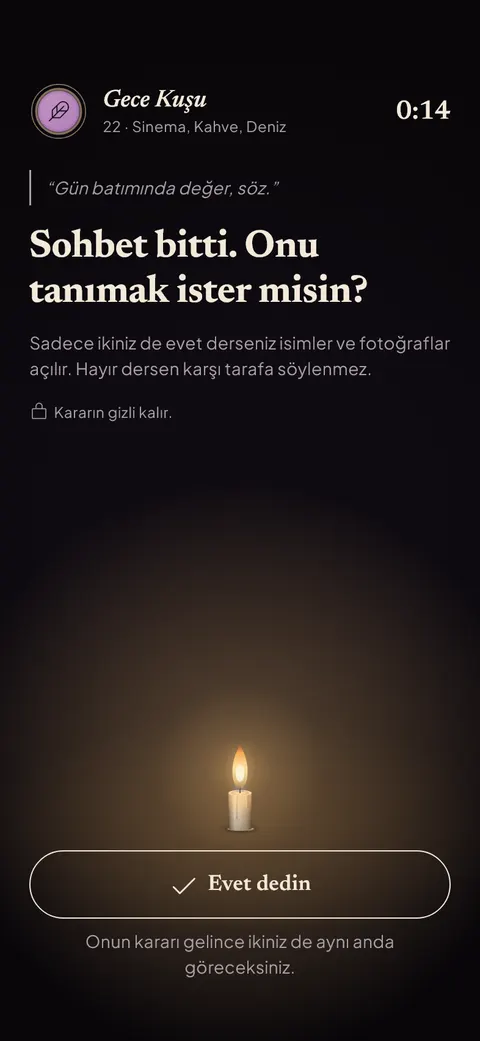
The chat is over; within 30 seconds the user holds the button to say yes.
 21
21Waiting for the other side
The user said yes and waits; both decisions are shown at the same moment.
- 22
Reveal
Both said yes: the pseudonym gives way to a real name and the user writes the first message.
After
 23
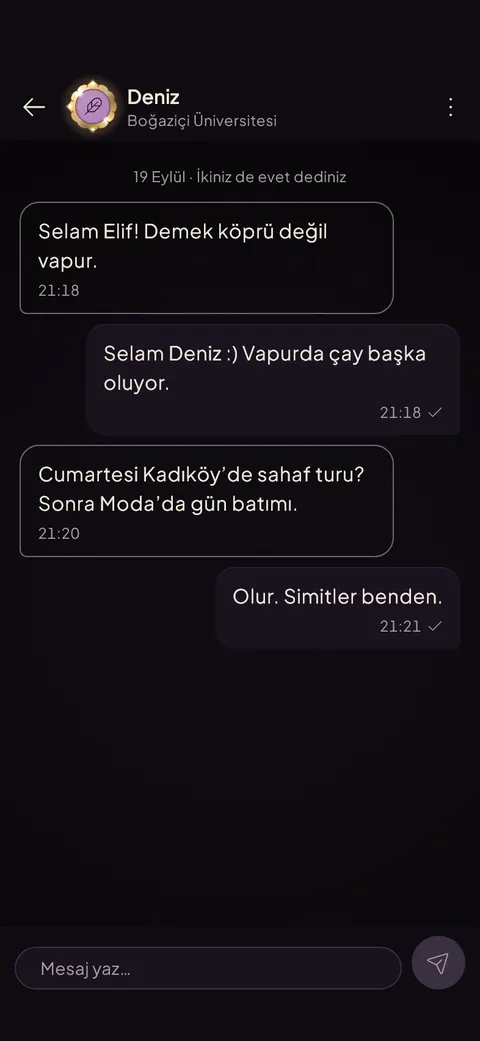
23Open chat
After the reveal the two keep talking by name, with no time limit.
 24
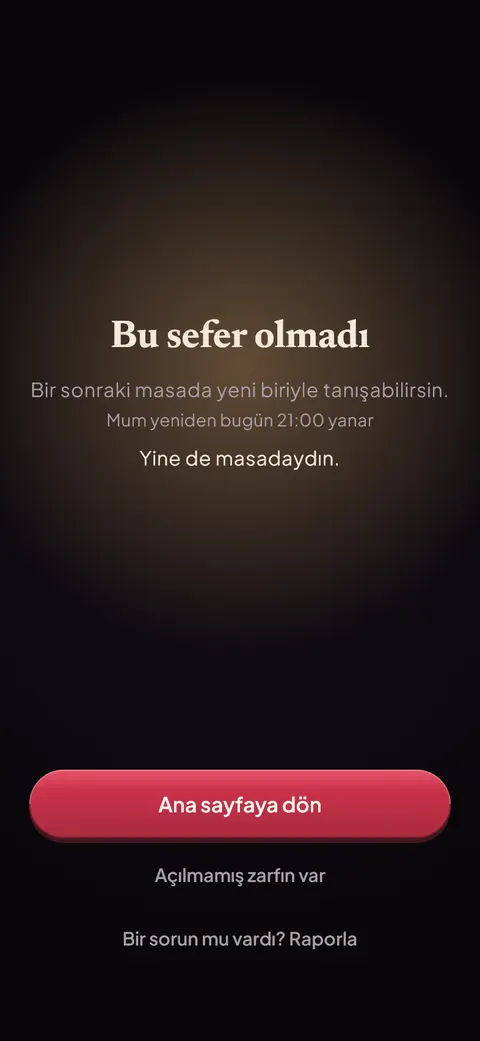
24Not this time
If it is not a mutual yes, the user is told gently and can sit again the next evening.
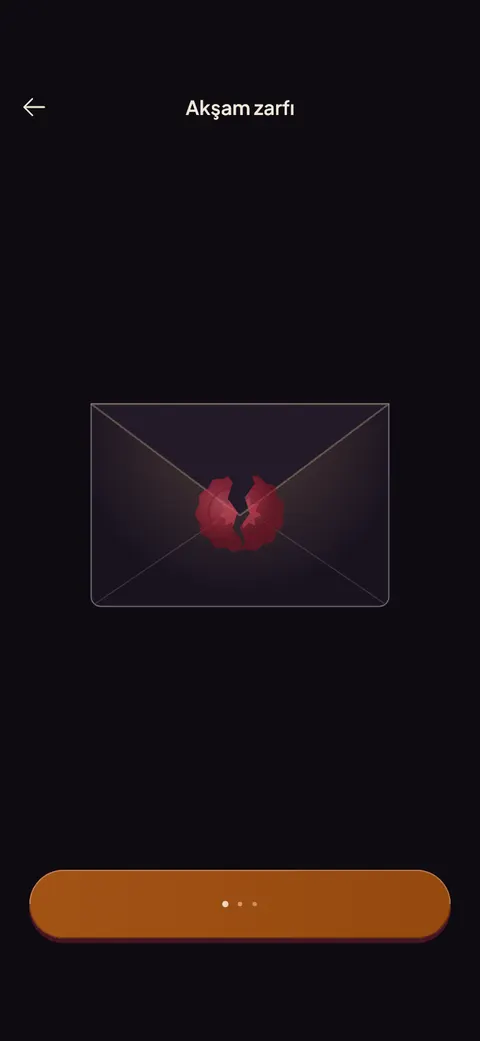 25
25Evening envelope
The user holds the wax seal until it cracks open.
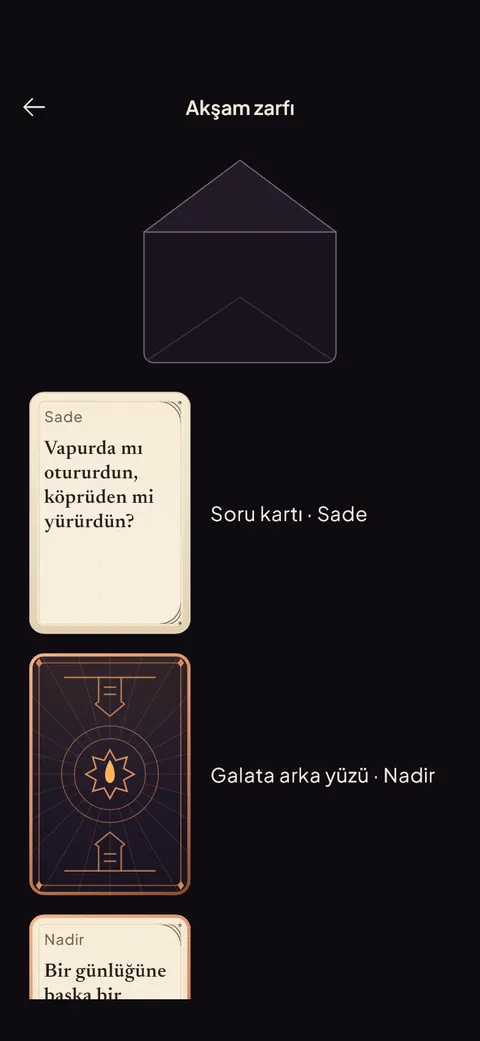 26
26Envelope rewards
The envelope reveals new question cards and a card-back skin.
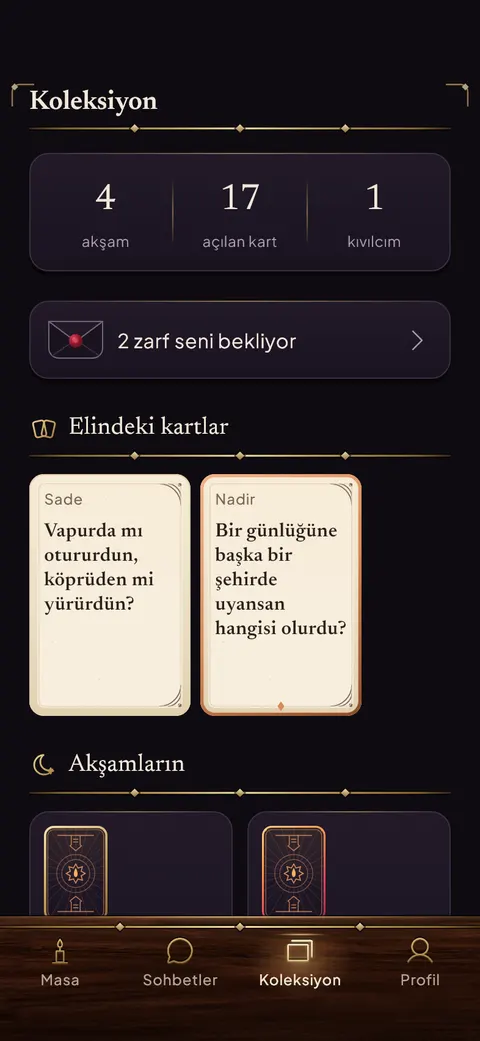 27
27Collection
The user browses collected cards, past evenings and badges.
Your account
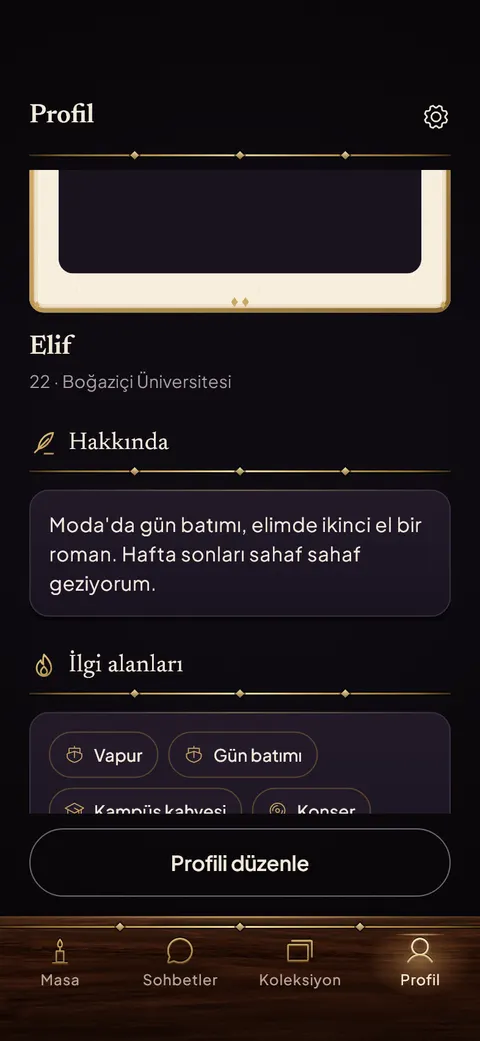 28
28Profile
The user reviews their own profile: about, interests and table cosmetics.
 29
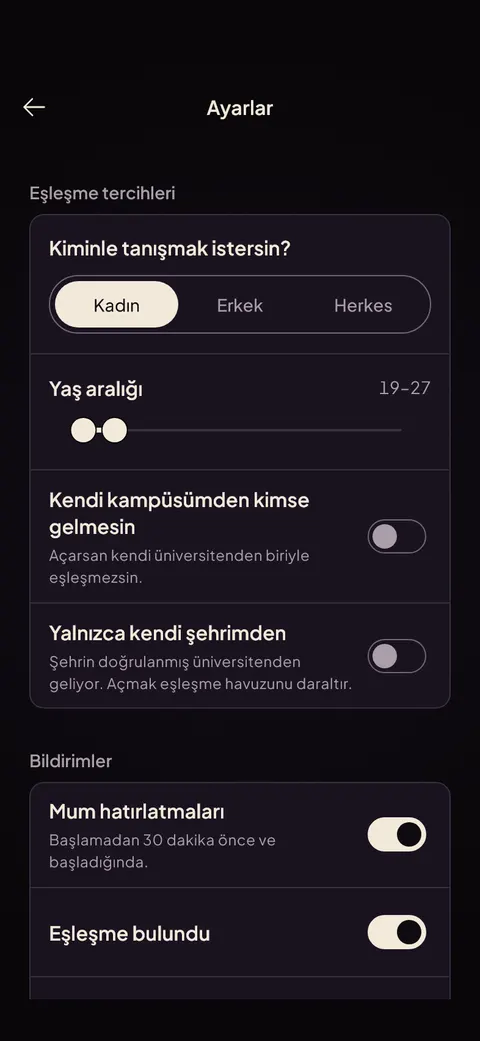
29Settings
The user sets match preferences, age range and notifications.
 30
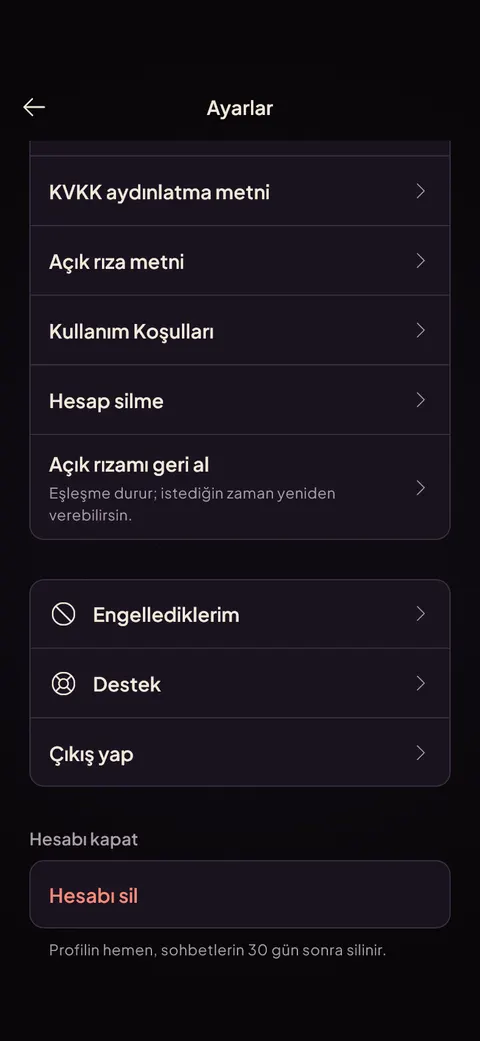
30Privacy and account
The user reads the privacy texts, manages consent and finds account deletion.
 31
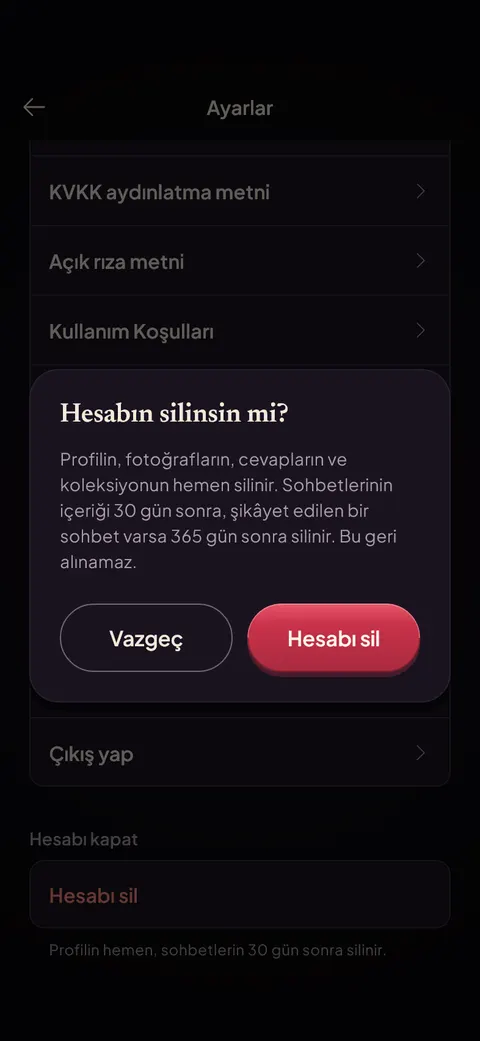
31Delete account
The user confirms deleting the account; the dialog explains what is removed and when.


How it works
The parts worth reading if you build backends: how the system is laid out, how a message travels, how two people get matched and how the closed beta runs on one server.
The system at a glance
core-api is a modular monolith with fourteen modules, from identity to moderation. chat-gateway only holds WebSocket connections: it checks the Firebase token on connect, listens on Redis and never touches the database. Photos go straight between the phone and Cloudflare R2 through signed URLs.
The system as text
Each line is one box and the boxes its arrows point to.
- Flutter app (iOS and Android) → Cloudflare (DNS, TLS, proxy), Cloudflare R2 (photos, backups)
- Admin panel (React, in the browser) → Cloudflare
- Cloudflare → Caddy (one entry, four hostnames)
- Caddy → core-api (modular monolith, 14 modules), chat-gateway (sockets only, no database), panel + site (static files)
- core-api → PostgreSQL 15, Redis 7 (queue, pub/sub, locks), Cloudflare R2, Firebase, FCM, Resend (sign-in, push, email)
- chat-gateway → Redis 7
- Flutter appiOS and AndroidAdmin panelReact, in the browser
- CloudflareDNS, TLS, proxy
- Caddyone entry, four hostnames
- core-apimodular monolith, 14 moduleschat-gatewaysockets only, no databasepanel + sitestatic files
- PostgreSQL 15Redis 7queue, pub/sub, locksCloudflare R2photos, backupsFirebase, FCM, Resendsign-in, push, email
What happens when you send a message
An explanatory model you step through yourself. It does not talk to the real backend.
Pick what happens above, or press Next to go through it in order.
- Your phone → core-api
POST /messages + clientMsgIdYou send a message. The app attaches its own id (clientMsgId), so a retry can never create a duplicate. - core-api → Postgres
insert oncecore-api stores it. A second request with the same id is answered from the stored row. - core-api → Redis
publish user:{uid}The event goes to a Redis channel named after the receiver, not after a server. - Redis → Gateway
message.createdWhichever gateway holds their WebSocket is subscribed to that channel and gets it. - Gateway → Their phone
push over WebSocketThe gateway pushes it to their phone. If they are offline, a Firebase notification wakes it. - Their phone → core-api
GET missed messagesAfter a reconnect the app asks core-api for what it missed. REST, not the socket, is the source of truth.
How two people get matched
Matching only runs inside the evening window. The queue lives in Redis, and a distributed lock makes sure two workers can never pair the same person at the same moment.
- The same pair never meets twice.
- A no is never shown to the other person.
Matching
- 5 daily questionsthe same for everyone
- Answer 3 to joinunlocks the queue
- Evening queueRedis, only inside the window
- Two-way checkboth preferences must fit
- Lock both peopledistributed lock
- match.foundpushed to both phones
Running the closed beta
One rented server runs everything with Docker Compose. Code reaches it by git push, and the database leaves it every night, encrypted.
- Ports 80 and 443 accept only Cloudflare's IP ranges.
- The data network is internal; only the API containers can reach the database.
- Services run as a non-root user, and the app's database role is not a superuser.
- A restore drill brought a backup back and compared it with the running database.
Deploy
- git push prodto a bare repo on the server
- post-receive hookchecks out the new commit
- docker compose buildimages built on the server
- Restartbehind Caddy
Nightly backup
- pg_dumpevery night at 04:30
- Encryptwith age
- Cloudflare R2off the server
- Keep 14 daysthen rotate
In numbers
- 962
- backend tests
- 3,200+
- Flutter tests, 256 of them golden images
- 237
- admin panel tests
- 77
- API paths in an OpenAPI contract
- 13
- WebSocket event types
- 21
- database migrations
Decisions I would make again
REST is the source of truth
The socket only rings the doorbell; it is not the record of what was sent. The cost is one more request after every reconnect, when the app asks core-api what it missed. In return, a dropped connection loses nothing.
Retries are safe by design
Every message carries a client id. A flaky network can send it twice; the database stores it once.
Privacy is part of the product
Explicit consent under Turkey's KVKK law, account deletion from any state, and admins can read only chats that were reported.
